
WHAT'S NEW
PMWEB 2026
PMWEB 2026 completes the modernization of the entire platform and introduces the AI Assistant, available from every record page. A faster, consistent interface in every module, stronger cost controls, and AI that works within the permissions your team already set.
PMWEB AI
Meet the AI Assistant
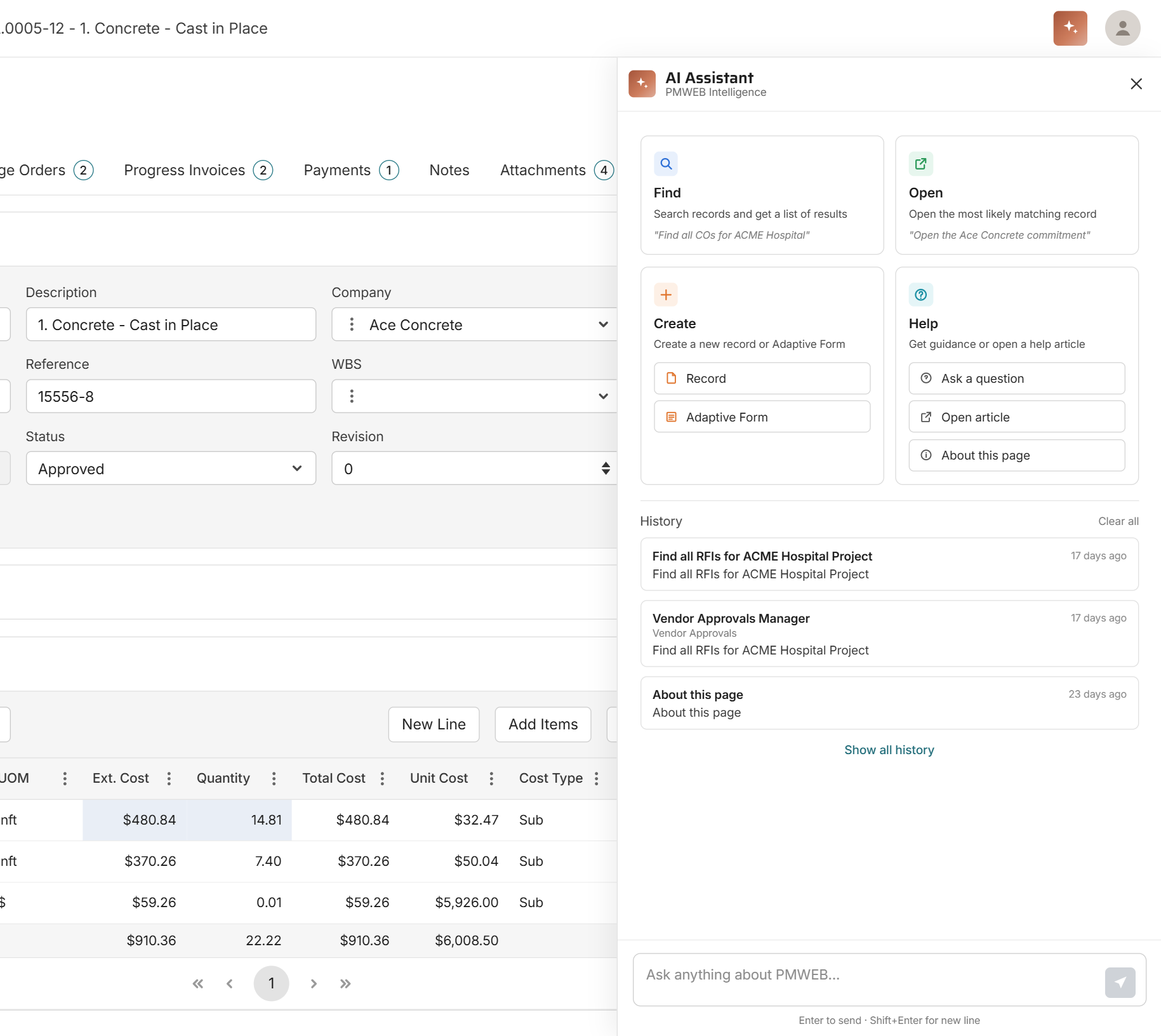
A natural-language chat panel available from every record page. Ask for what you need in plain language and keep working without leaving the page you are on.
Find. Search across your records and get back a clickable list of results, such as every RFI on a project.
Open. Jump straight to the record you are looking for.
Create. Start a new record or generate an Adaptive Form directly from chat.
Help. Get contextual guidance on the record type or workflow you are in, open a related help article, or get an AI summary of the current page.
Every response includes quick feedback controls, and a history panel keeps your recent AI interactions close at hand.
GOVERNED BY DESIGN
Driving Innovation With Responsibility
AI advises. The operator decides.
A FULLY MODERNIZED PLATFORM
Every module, rebuilt on a modern interface
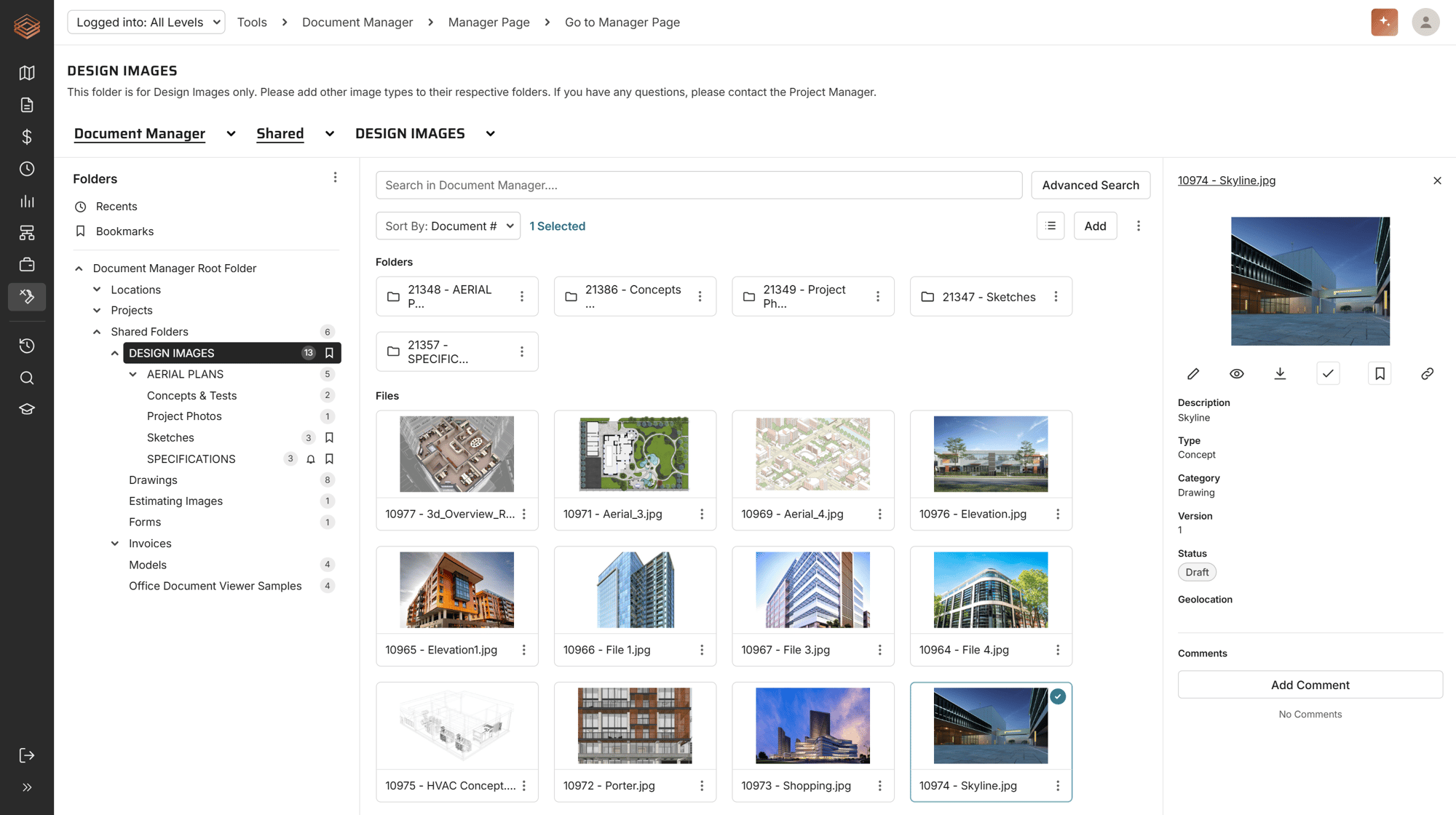
PMWEB 2026 completes our multi-year modernization. Every remaining page across Plans, Assets, Workflow, Portfolio, and Tools has been rebuilt on our modern interface framework.
Pages load faster and tabs switch more smoothly. Multi-tab editing lets you work across several records at once. Date pickers, grids, and dropdowns behave the same way everywhere, and layouts respond better across screen sizes, from laptops to wide monitors.
The functionality your team relies on works the same way, just faster and more consistent.
SMARTER COST MANAGEMENT
Cost structures that carry through every project
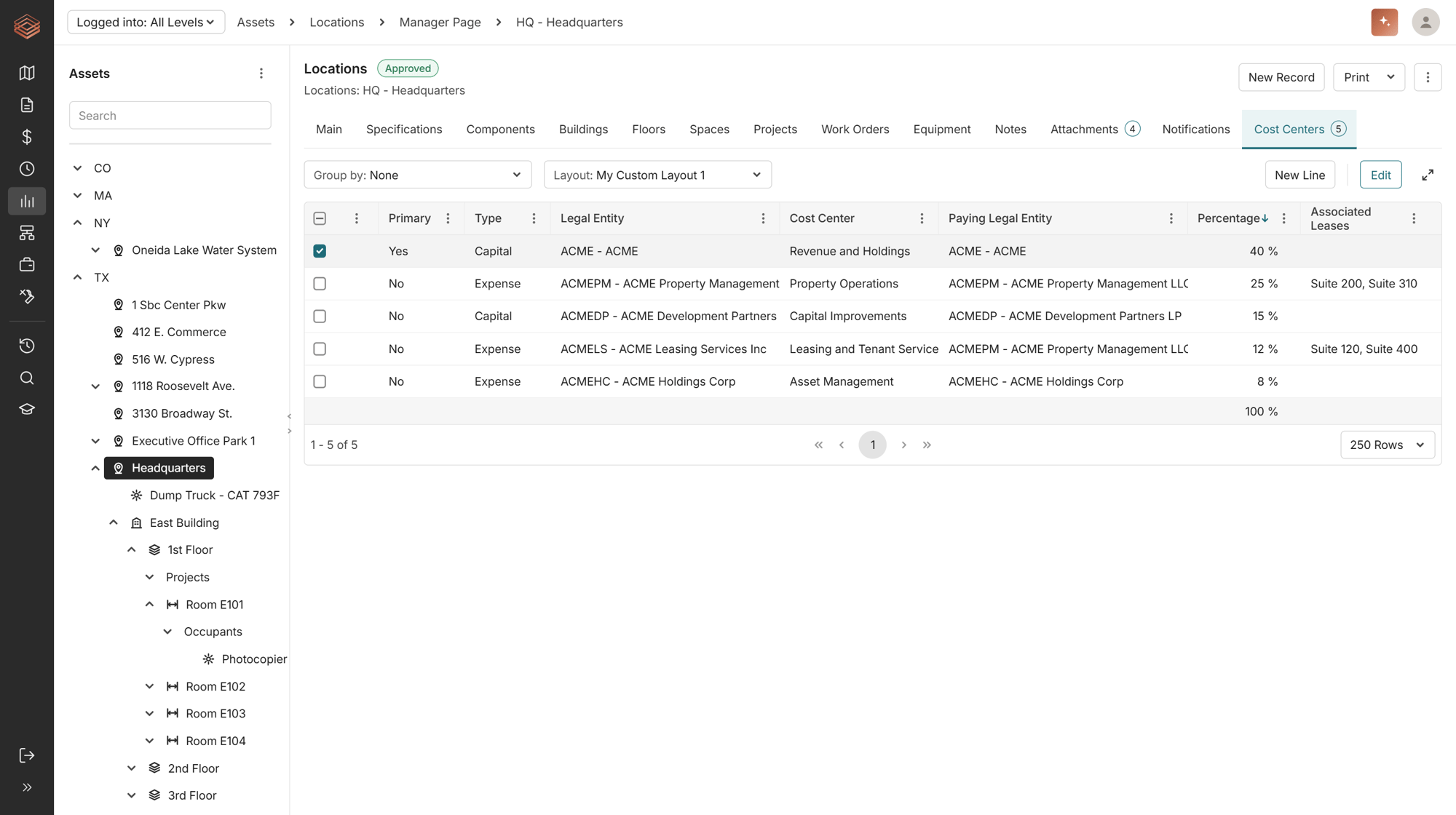
Cost Center Management. Define cost centers at the Location level and carry that structure down to your Projects automatically, with built-in safeguards that keep allocations accurate.
Account and Asset Class tracking. New Account and Asset Class fields across Budgets, Commitments, Contracts, Change Orders, Invoices, and more, populated automatically from the Cost Code you select for faster, more consistent data entry.
REDESIGNED REPORTING EXPERIENCE
Find the right report faster
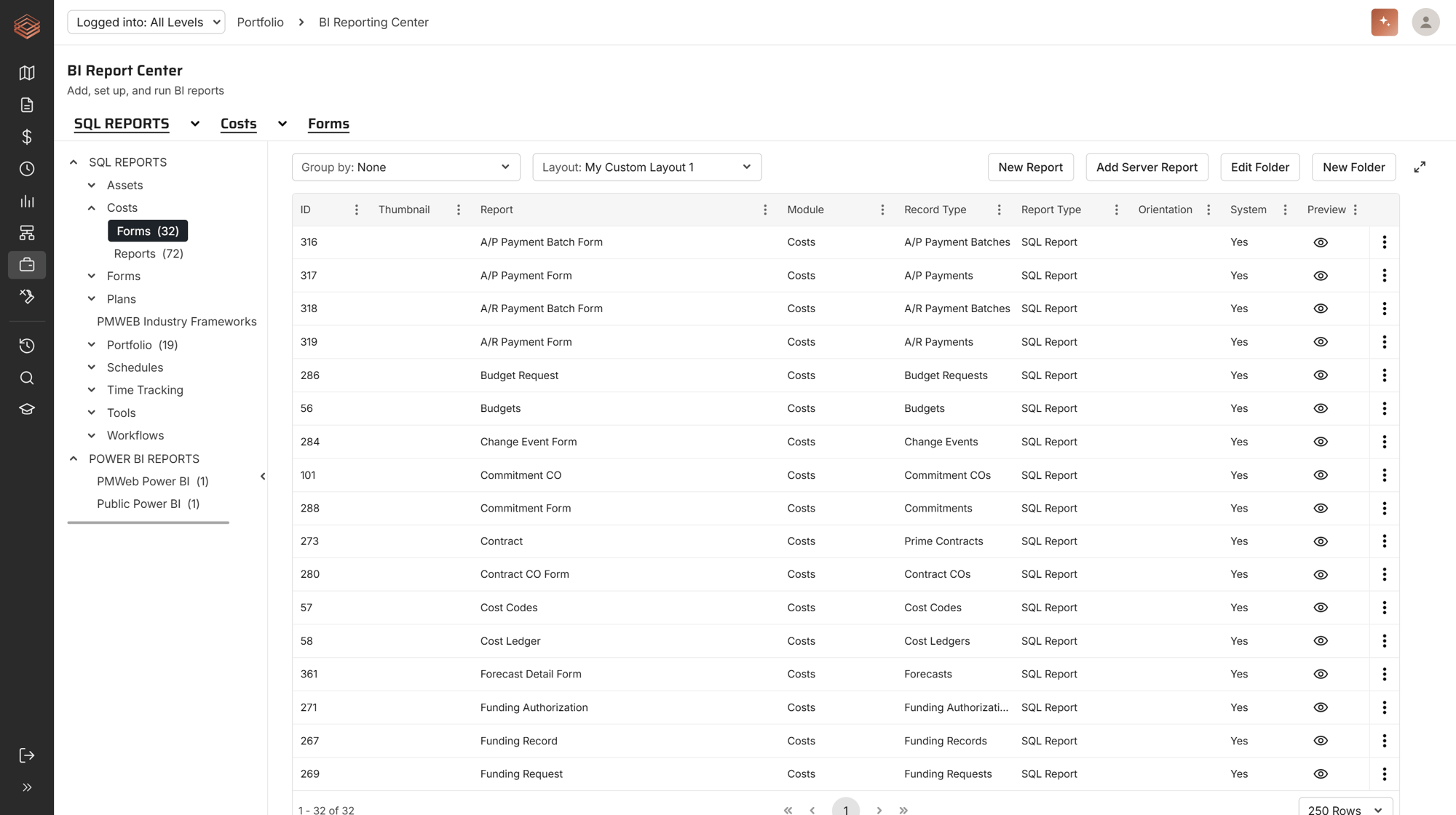
The BI Report Center has been refreshed. Interactive breadcrumbs with smart filtering make navigation easier, reports sit in a clean, sortable table, and a redesigned preview with thumbnails helps you spot the one you need.
STREAMLINED WORKFLOW TOOLS
More flexibility for the admins who design your processes
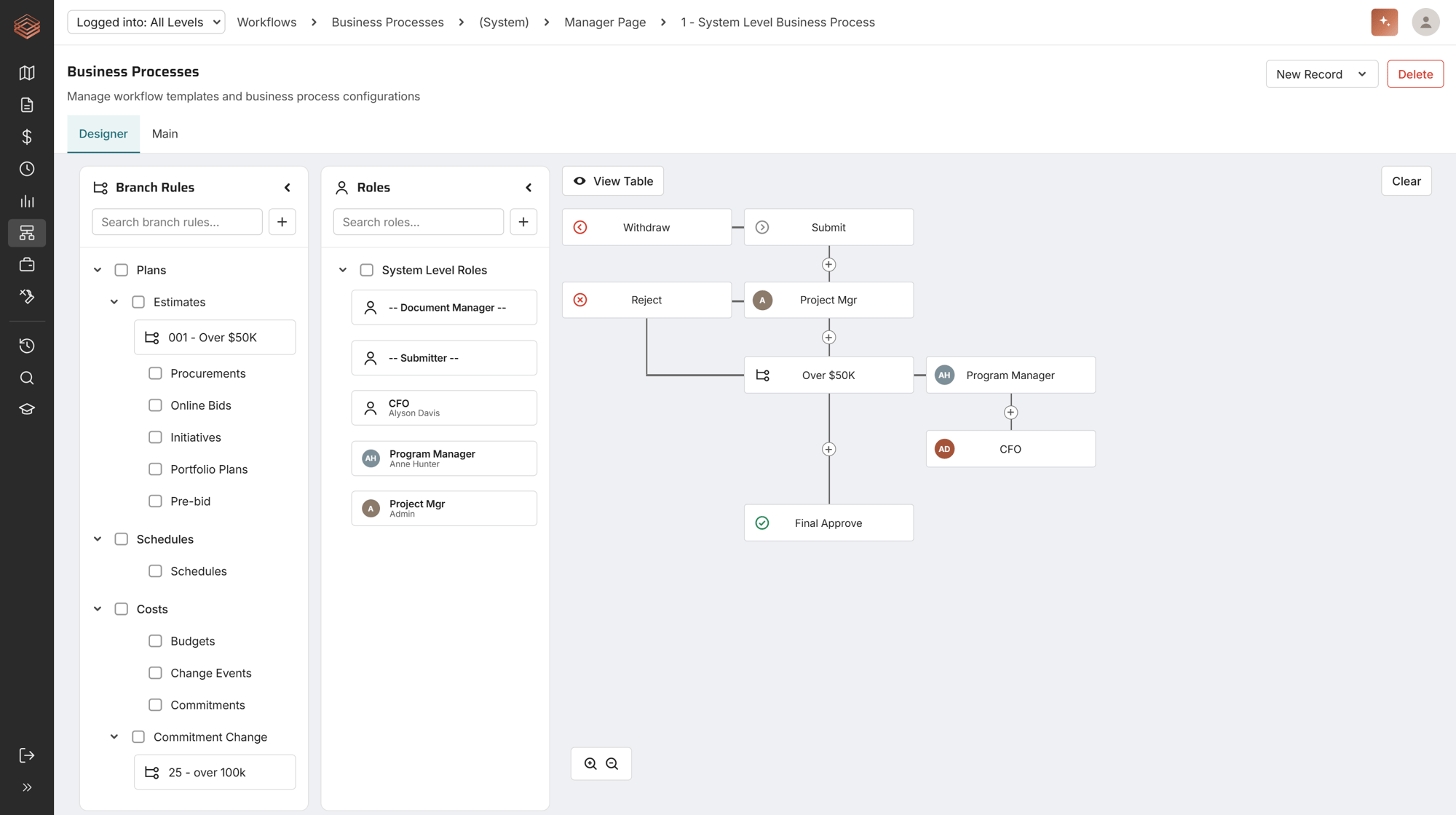
Workflow and business process configuration tools have been restructured for clarity. A new toggle switches between diagram and table views while building business processes, so administrators can design and maintain workflows the way that suits them.
ADDITIONAL IMPROVEMENTS
The details your teams asked for
Wrap Text in Grids
A platform-wide option to wrap cell text in grids instead of truncating it.
Address Auto-Copy
Optionally populate a Project's address fields from its linked Location.
Initiative-to-Estimate Navigation
Quicker linking and navigation between Initiatives and Estimates.
Audit Trail Enhancements
Schedule changes are now tracked, and Audit Trail is easier to reach from the More menu.
Bulk Zip Uploads
Upload a zip file directly to Attachments or Document Manager, with no need to extract files first.
SAML Login for PMWEB Admin
Simplified, secure single sign-on support.
Clearer Login Messaging
Users see a clear message when no licenses are available, instead of a silent failure.
Enhanced Bid Management
Invite multiple bidding contacts, add company-specific contacts, and use new merge fields for awarded company details.